
Tick off tasks without clicking around
Your AI agent reads status reports, meeting notes or commits, finds the matching tasks in your Path and marks them done. Up to 50 tasks in one step, with a comment for the team if you like.
Works with Claude, ChatGPT, Claude Code, Cursor, VS Code and any MCP client with sign-in.
5 tasks done, one open question noted as a comment. Progress now 68%.
Example flow, simplified
How your agent works
You say in plain language what should happen. Your agent does the rest with the PathHub tools.
Hand over the source
Paste a status report, attach minutes or point Claude Code at this week's commits.
Match
The agent reads the Path's open tasks and matches what the source says is done.
Tick off and report
It marks the tasks done, comments on anything unclear and reports what it changed.
The result in PathHub
Completed tasks drop out of “Up next”. The overview shows right away what is still open or overdue.
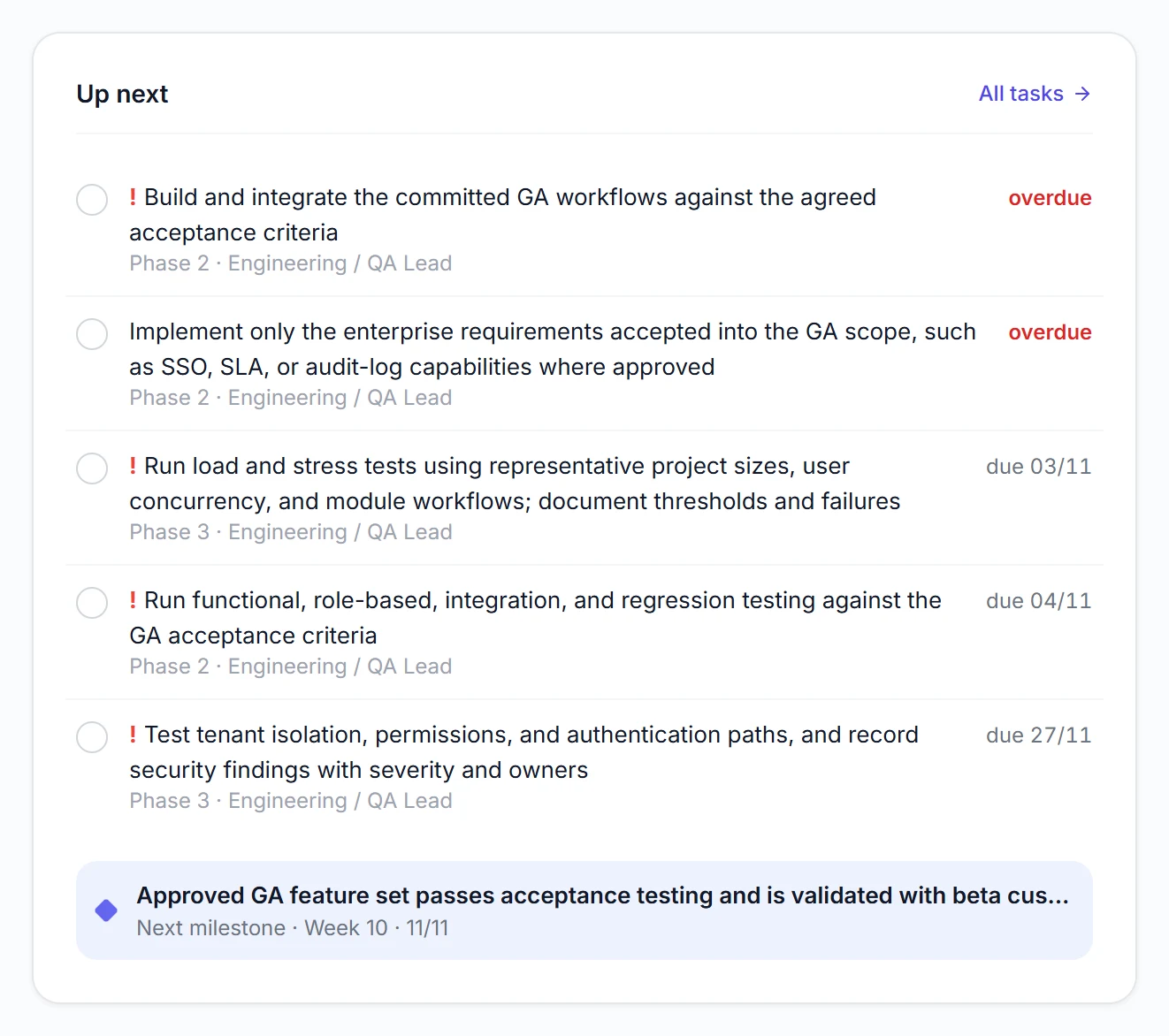
Real view from a sample Path
Best practices
These habits make the results reliable.
Show first, then change
To start with: “Show me first what you would tick off.” That way you check the matching before anything happens.
Name the Path clearly
With the Path's name the agent does not search for long and does not mix up similar initiatives.
Comment on partial progress
Have partial progress noted as a comment instead of ticking it off. The team sees it right on the task.
A fixed rhythm
Handing over the status report once a week keeps the plan current without anyone updating it by hand.
Example prompts to copy
Adjust the Path name, paste into Claude, ChatGPT or your agent, done.
“Here is today's status report: [paste text]. In the Path CRM rollout, tick off everything that is done and comment on tasks that are half done.”
“Read this week's commits and show me which tasks in the Path Release 3.2 they complete. Only tick them off after my okay.”
“Apply the minutes below to the Path Office move: tick off what is done, add new to-dos as tasks. List every change at the end.”
What PathHub makes sure of
Your agent works under the same rules as the app.
Reversible
Ticked-off tasks can be reopened just as easily, by you or the agent.
Your permissions, no more
The agent only sees the workspace you grant at sign-in and can do at most what you can. With read access it changes nothing.
Traceable
Changes show up in the Path as if made by hand and trigger the same webhooks. Every call is logged.
Frequently asked questions
Can the agent reopen tasks?
Yes. It sets a task that was ticked off by mistake back to open the same way, also for several tasks at once.
What if the report mentions something that has no task?
Then the agent can create a new task or ask you. It is most reliable to say so in the prompt.
Does my team see what the agent changed?
Yes. Changes appear in the Path as if made by hand, comments sit right on the task.
More jobs for your agent
Try it with your own Path.
Sign up for free, connect PathHub in your AI assistant and get started. Already on the free plan.